Leather grain smoothing
Standard AI smooths out pebbles, pull-up oil effects, and natural leather grain into artificial plastic surfaces. Berrys preserves micro-texture contrast.
Luxury leather goods—handbags, wallets, boots, and travel luggage—derive their value from subtle physical details: full-grain leather texture, edge paint finish, burnished brass hardware reflections, and precise saddle stitching. Generic background removers flatten leather grain and destroy metallic highlights, reducing luxury goods to cheap plastic renders. Berrys AI Canvas provides studio lighting control designed specifically for leather and metal, highlighting tactile grain, specular hardware highlights, and authentic patina across e-commerce PDPs and editorial campaigns.
Reviewed October 2026 · Prepared by Berrys · Technical specifications & Canvas node workflows
| Parameter / Slot | Marketplace & Production Requirement |
|---|---|
| Macro zoom requirement | 800px+ zoom depth required to inspect leather grain, edge paint, and hardware engravings |
| Hardware reflection rule | Brass, gold, and palladium hardware require soft gradient reflections rather than blown-out white spots |
| Color accuracy | Vegetable-tanned leather hues must be calibrated across warm tungsten and daylight viewports |
| Interior & structure view | Mandatory requirement to display bag interior pockets, lining fabric, and hardware zippers |
Standard AI smooths out pebbles, pull-up oil effects, and natural leather grain into artificial plastic surfaces. Berrys preserves micro-texture contrast.
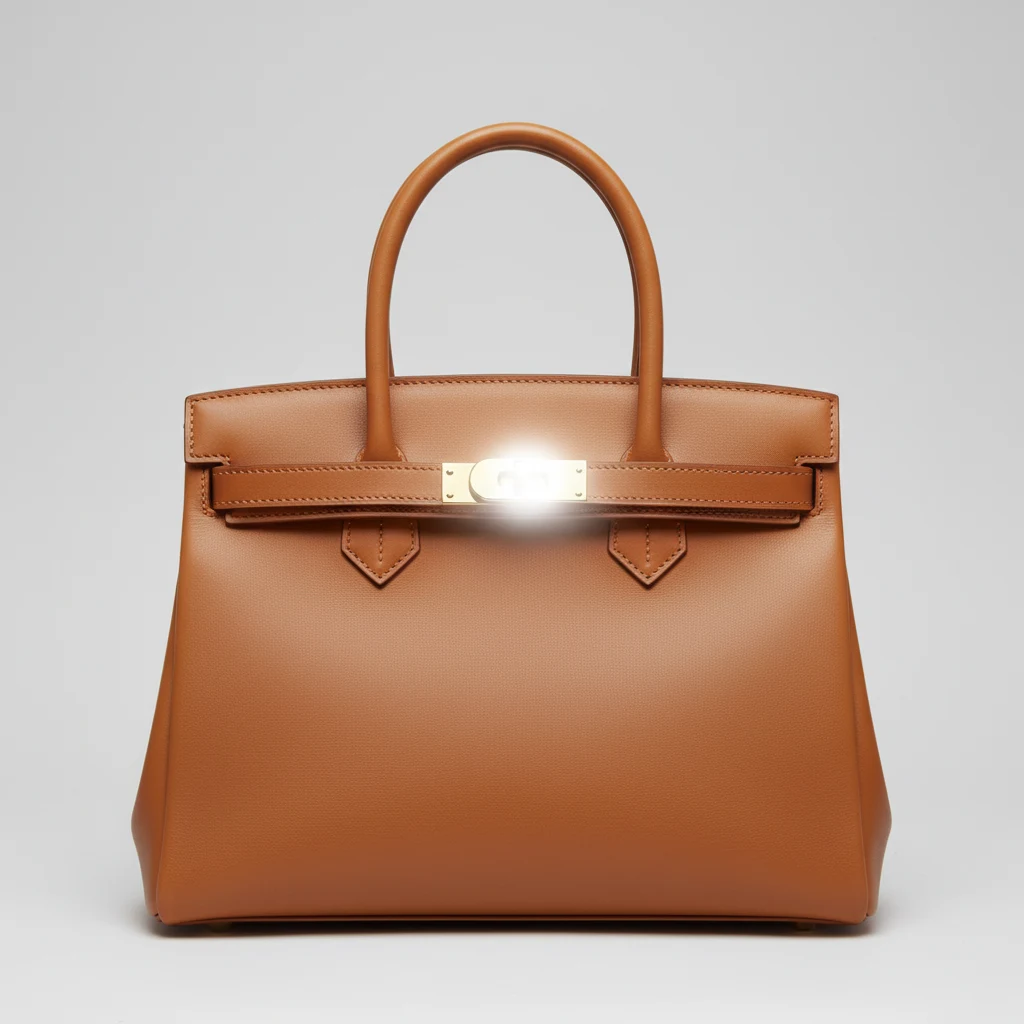
Uncontrolled AI generation creates blown-out white reflections on gold/brass clasps. Berrys applies virtual soft-box diffusion tents.
Generative models frequently blur or misalign saddle stitching. Berrys locks stitch vectors directly from raw photographic masters.
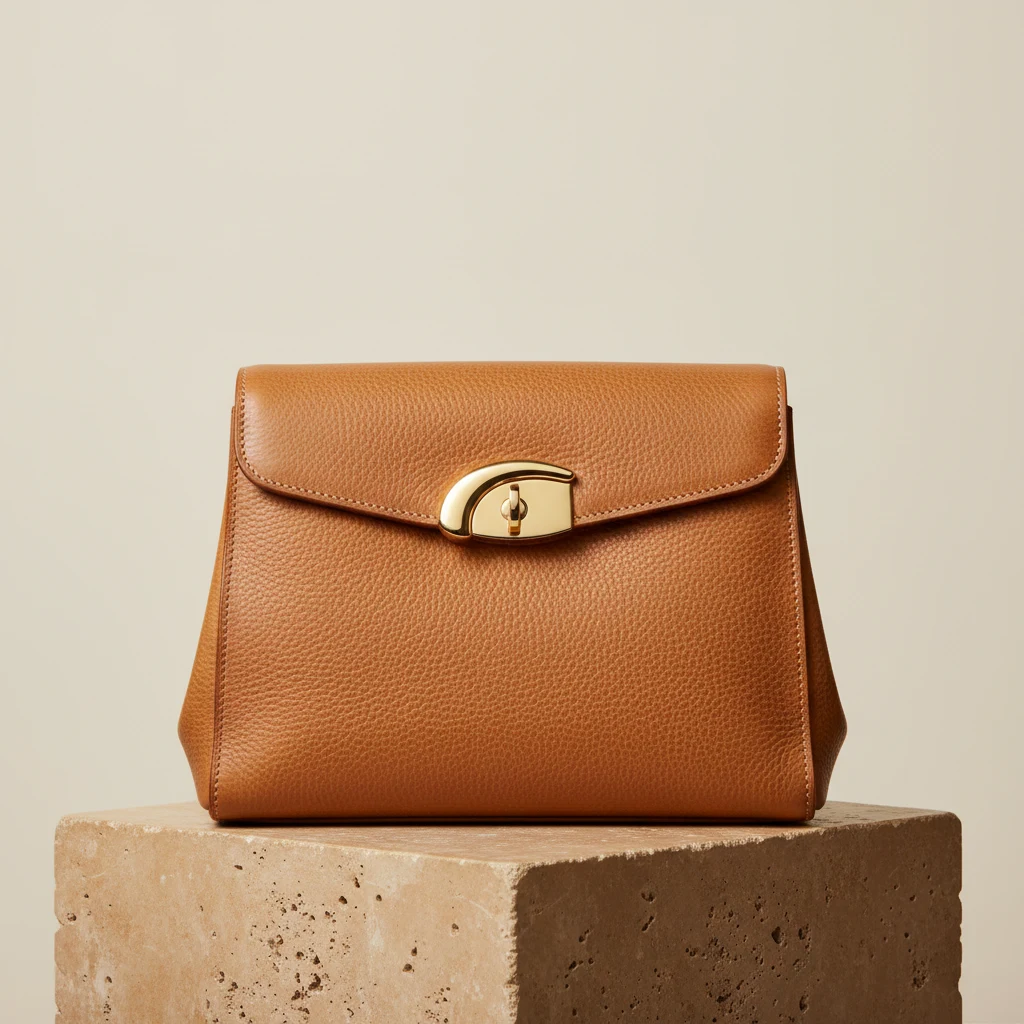
100% macro crop comparison on full-grain leather grain and brass turn-lock hardware.
Standard diffusion models flatten organic cowhide pebbles into synthetic PVC and clip brass reflections into blown-out white glare (#FFFFFF).
Virtual diffusion tent creates smooth gradient specular highlights on brass hardware while locking high-frequency organic leather texture.
Shoot your leather bag or wallet under diffuse 5600K light using a smartphone or DSLR.
Select Warm Limestone, Dark Architectural, or Parisian Studio presets inside Brand Memory.
Generate 2048px PDP packshots, macro detail zooms, and lifestyle editorial campaigns.
Already working in an AI agent? Connect Berrys to Claude, Cursor, ChatGPT, Codex, or Hermes. Your agent plans the luxury leather goods suite and runs the shots on your Berrys canvas, with saved Brand Memory and credit approval in chat.
https://app.berrys.io/api/mcpRemote MCPUsing Berrys, create a 7-slot luxury leather PDP suite for my product reference in ./assets: 1. File node: Load raw leather reference under neutral 5600K diffuse lighting. 2. Brand System node: Apply 'Parisian Studio Diffusion' lighting preset. Surface: Warm Limestone (#F5F2EB). Enforce soft gradient specular highlights on brass/gold hardware (no blown-out white glare); preserve full-grain leather pebbles and saddle stitch vectors. 3. Image node (Nano Banana 2.1): Generate 2048px pure white hero packshot (65% frame fill, soft floor gradient contact shadow). 4. Macro detail pass: Generate 2048px 2x crop focused on the brass turn-lock clasp and burnished edge paint finish. 5. Lifestyle editorial: Generate 3 contextual editorial angles at 4:5 vertical (Parisian limestone doorway and dark travertine plinth). Estimate credit cost and request approval before generating.
Luxury buyers inspect every detail. Never use AI to hide edge-paint defects, loose threads, or hardware scratches on physical goods.
Berrys applies virtual diffusion tent lighting that creates smooth, soft gradient reflections on gold, brass, and palladium hardware.
Yes. Berrys conditions generation on your real photo master, preserving organic leather pebble, grain, and stitching detail.
Warm limestone, dark travertine, minimalist oak, and soft neutral studio gray out-convert plain white for luxury editorial campaigns.
Start free on Berrys Canvas — 50 credits, no card required — or send Berrys Studio a brief and get finished campaign visuals with agency art direction.