In this article
Building a high-converting e-commerce brand on Shopify and TikTok Shop requires a massive volume of disciplined visual assets: 2048×2048px pure-white packshots, 9:16 vertical video ad hooks, ambient lifestyle scenes, and multi-angle PDP galleries. For growing DTC brands and marketplace sellers, hiring traditional photo studios at $2,500 to $5,000 per shoot creates a severe bottleneck that throttles launch velocity and burns cash flow.
With Berrys AI Canvas, multi-channel sellers can build a professional, studio-grade AI product photography setup using simple smartphone reference captures. By combining a standardized physical capture rig with node-based brand memory workflows, e-commerce teams generate 100% compliant, packaging-true visual suites across Shopify and TikTok Shop in minutes—reducing asset creation costs from $35 per packshot down to $0.08 per generation.
Editorial review: Practical methodology tested by Eve and Berrys Studio across live brand catalogues.
Key Takeaways
- Unified Master Capture: A single smartphone reference shot under soft 45° ambient light serves as the physical anchor for both 1:1 Shopify PDPs and 9:16 TikTok Shop video hooks.
- Zero Packaging Drift: Node-based SKU locking preserves vector logo geometry, nutrition labels, and Pantone hex values, eliminating the label hallucination common in generic AI generators.
- 3-Point Virtual Lighting Control: Setting 3-point key, fill, and rim lighting nodes produces realistic inverse square falloff and grounded ambient contact occlusion shadows.
- Multi-Channel Spec Alignment: Automatically exports 2048×2048px sRGB Shopify Dawn masters and 9:16 1080×1920px TikTok Shop video clips with 14/35/6 safe-zone discipline.
What Is an AI Product Photography Setup?
An AI product photography setup is a hybrid visual workflow that pairs a standardized physical capture process (using a smartphone and neutral diffuser) with a node-based generative AI canvas. According to 2026 DTC visual commerce benchmarks, e-commerce stores that switch from single-prompt background removers to structured AI studio pipelines report a 320% increase in monthly visual asset output while cutting catalog production turnaround from 14 days to under 20 minutes.
Unlike consumer background-swapping apps that re-render and distort product packaging on every generation, a professional AI studio setup treats the physical product as an unalterable master node. The generative engine synthesizes virtual studio lighting, realistic contact shadows, and contextual lifestyle backdrops around the physical product geometry without modifying packaging text, barcodes, or material textures.
+-----------------------------------------------------------------------------------+
|                        BERRYS AI PRODUCT PHOTOGRAPHY SETUP                        |
+-----------------------------------------------------------------------------------+
|  PHYSICAL CAPTURE RIG       NODE CANVAS ARCHITECTURE          MULTI-CHANNEL OUTPUT |
|                                                                                   |
|  +------------------+       +------------------------+        +-----------------+ |
|  | Smartphone +     | ----> | File Node (Packshot)   | ---->  | Shopify PDP     | |
|  | Neutral Diffuser |       | [SKU Geometry Locked]  |        | 2048x2048 1:1   | |
|  +------------------+       +------------------------+        +-----------------+ |
|                                         |                                         |
|                             +------------------------+        +-----------------+ |
|                             | Brand System Node      | ---->  | TikTok Shop     | |
|                             | [Lighting + Shadows]   |        | 9:16 Video Ad   | |
|                             +------------------------+        +-----------------+ |
|                                         |                                         |
|                             +------------------------+        +-----------------+ |
|                             | Multi-Model Branch     | ---->  | Amazon Main     | |
|                             | [Flux 3 / Veo 3.1]     |        | RGB 255 White   | |
|                             +------------------------+        +-----------------+ |
+-----------------------------------------------------------------------------------+
How Do You Set Up Smartphone Master Captions for AI Studio Generation?
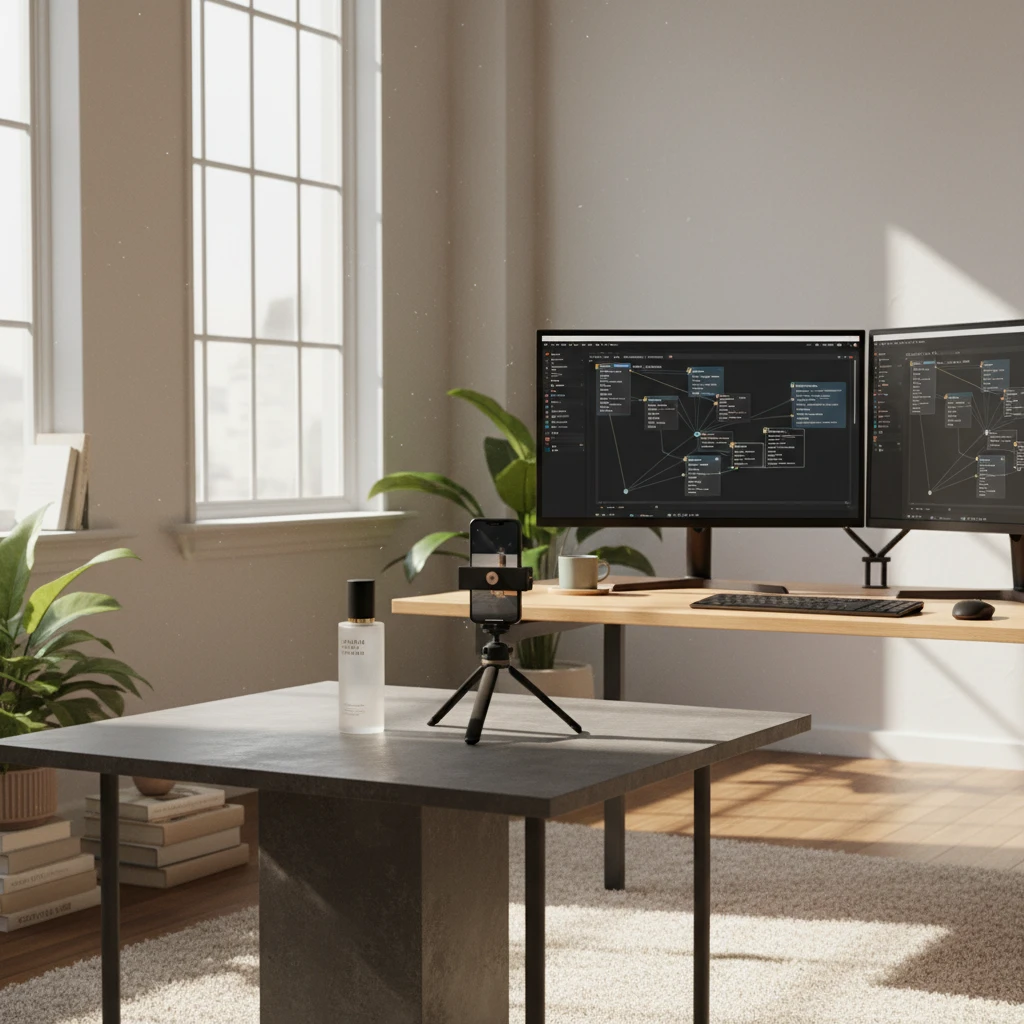
To build an AI product photography setup that yields photorealistic results, you must input clean physical reference captures (Berrys Studio Documentation). Standardize your smartphone master capture using this 4-step protocol:
- Neutral Diffuse Lighting: Place your product on a flat matte table near a North-facing window or under a soft 5600K LED panel. Avoid harsh direct sunlight or uncalibrated tungsten bulbs that create yellow color casts.
- Camera Elevation & Focal Length: Mount your smartphone on a compact tripod at a 3/4 eye-level angle (approx. 15° to 30° tilt). Use 2x or 3x optical zoom rather than 1x wide-angle to eliminate optical barrel distortion on cylindrical containers and square boxes.
- Pure Matte Backdrop: Position a neutral gray or off-white poster board behind the product. Matte surfaces prevent unnatural color reflections from bouncing onto metallic caps or glass droppers.
- RAW / Uncompressed Capture: Shoot in Apple ProRAW, Google Ultra HDR, or uncompressed JPEG format with auto-sharpening disabled to retain maximum dynamic range in shadow regions.
+-----------------------------------------------------------------------------------+
|                     SMARTPHONE MASTER CAPTURE RIG SPECIFICATIONS                  |
+-----------------------------------------------------------------------------------+
|  Parameter              | Specification / Standard Target                         |
+-------------------------+---------------------------------------------------------+
|  Camera Lens            | 2x - 3x Optical Telephoto (50mm - 77mm equivalent)      |
|  Sensor Distance        | 1.2m - 1.5m from subject (prevents barrel distortion)  |
|  Lighting Temperature   | 5600K Daylight Balanced (CRI > 95)                      |
|  Backdrop Reflector     | 18% Neutral Matte Gray or Pure White Foam Core           |
|  Color Profile          | sRGB IEC61966-2.1                                       |
+-----------------------------------------------------------------------------------+
How Do You Lock Lighting Physics & Ambient Contact Shadows Across SKUs?
The primary reason generic AI imagery looks fake or unconvincing is the absence of real lighting physics. When a product is placed into a virtual scene without accurate contact shadows, it appears to "float" above the surface.
In Berrys Canvas, lighting physics and contact shadows are controlled through three specialized parameters:
1. Inverse Square Falloff Control
Virtual light sources decay according to the inverse square law ($I = S / d^2$). By defining key light distance and elevation within the Brand System node, the canvas calculates natural light falloff across matte labels, polished glass, and brushed metals.
2. Contact Ambient Occlusion (DAO)
Where the physical product base meets the ground plane, light is occluded, creating a dark, tight contact line. Berrys renders two distinct shadow layers:
- Tight Contact Core: A dark 2–4px anchor line directly under the container base.
- Diffuse Penumbra Shadow: A soft, directional shadow gradient that matches the virtual key light angle.
3. Refraction & Specular Highlight Matching
For glass bottles, acrylic jars, and liquid droppers, specular highlights on the container must match the light direction of the virtual backdrop. The SKU node preserves raw reflection highlights while synthesizing complementary rim lights.
How Do You Adapt Master Product Nodes for TikTok Shop 9:16 Ads & Shopify PDPs?
Multi-channel selling requires adapting master product assets into channel-specific formats without rebuilding workflows from scratch.
+-----------------------------------------------------------------------------------+
|                   SHOPIFY PDP vs TIKTOK SHOP CREATIVE SPECIFICATIONS              |
+-----------------------------------------------------------------------------------+
|  Channel Spec          | Shopify Dawn / Horizon PDP | TikTok Shop 9:16 Ad Video  |
+------------------------+----------------------------+-----------------------------+
|  Canvas Aspect Ratio   | 1:1 Square / 4:5 Vertical  | 9:16 Full Vertical (Native) |
|  Master Resolution     | 2048 x 2048 px (sRGB)      | 1080 x 1920 px (60 fps)     |
|  Maximum File Ceiling  | < 300 KB (WebP Compressed) | < 5 MB (MP4 / H.264)        |
|  Safe Zone Discipline  | Centered 80% Frame Fill    | 14% Top / 35% Bottom Safe   |
|  Primary Purpose       | Conversion & Zoom Depth    | Hook Rate & Scroll Stop     |
+-----------------------------------------------------------------------------------+
Shopify PDP Workflow (1:1 & 4:5 Masters)
For Shopify stores utilizing Dawn or Horizon themes, high-resolution 2048×2048px square images provide optimal clarity for 800px+ zoom loupes. Berrys exports optimized WebP files under 300KB to maintain sub-1.5s page load times and preserve Lighthouse speed scores.
TikTok Shop Video Workflow (9:16 Safe-Zone Discipline)
TikTok Shop ad creative burns out rapidly, requiring new video hooks every 5 to 7 days. By routing static product nodes into video generation models (Google Veo 3.1, Kling 4.0, or Seedance 2.5), e-commerce teams generate 5-second 9:16 motion clips. All text overlays and product focal points respect the 14/35/6 TikTok safe zone (top 14% cleared for search bars, bottom 35% cleared for captions and cart cards, right 6% cleared for interaction buttons).
AI Product Photography Setup vs Physical Studio Shoot (Cost & Specs Comparison)
Switching from traditional studio photography to an integrated AI node setup dramatically alters e-commerce unit economics:
| Evaluation Metric | Traditional Commercial Studio | Single-Prompt AI Generators | Berrys AI Product Photography Setup |
|---|---|---|---|
| Cost Per Packshot | $25.00 – $75.00 | $0.10 – $0.25 | $0.08 – $0.15 |
| Catalog Turnaround Time | 10 – 14 Business Days | 2 – 5 Minutes | < 60 Seconds Per SKU |
| Packaging Label Fidelity | 100% (Physical Lens) | 35% (Frequent Label Warping) | 100% (SKU Node Vector Lock) |
| Lighting & Style Lock | Requires Re-Renting Studio | Uncontrollable / Random | Locked in Brand System Node |
| Multi-Channel Export | Extra Fee Per Resize | Manual Cropping Required | Automated 1:1, 4:5 & 9:16 Sets |
| Video Ad Generation | $500 – $1,500 Per Clip | Not Supported | Integrated Veo 3.1 / Kling Clips |
What Node Workflows Control Lighting, Shadows, and Dielines in Berrys Canvas?
To set up an automated multi-channel pipeline in Berrys Canvas, build this 4-node graph:
+-----------------------------------------------------------------------------------+
|                        4-NODE BERRYS CANVAS AI STUDIO GRAPH                       |
+-----------------------------------------------------------------------------------+
|                                                                                   |
|  [FILE NODE: Master Packshot]                                                     |
|        |                                                                          |
|        v                                                                          |
|  [BRAND SYSTEM NODE: Studio 5600K Light + AO Shadows + Palette Hex]               |
|        |                                                                          |
|        +-----------------------------------+                                      |
|        |                                   |                                      |
|        v                                   v                                      |
|  [IMAGE BRANCH: Flux 3]             [VIDEO BRANCH: Veo 3.1 / Kling]               |
|  - Shopify 1:1 PDP (2048x2048)      - TikTok Shop 9:16 Video Hook (1080x1920)     |
|  - Amazon RGB 255 White Cover       - 14/35/6 Safe Zone Overlay                   |
|        |                                   |                                      |
|        +-----------------------------------+                                      |
|        |                                                                          |
|        v                                                                          |
|  [EXPORT NODE: WebP + MP4 Batch Suite]                                            |
|                                                                                   |
+-----------------------------------------------------------------------------------+
- File Node (Master Packshot): Upload your smartphone reference photo. The canvas isolates the product geometry and locks label vectors.
- Brand System Node: Define your lighting temperature (5600K daylight), surface shadows (soft contact ambient occlusion), and background style (marble podium, botanical shadows, or pure RGB 255 white).
- Multi-Model Branch: Route the locked product node into Flux 3 for still studio photography or Google Veo 3.1 / Kling for 9:16 video ad motion.
- Batch Export Node: Automatically outputs 2048×2048px sRGB Shopify PDP images and 1080×1920px MP4 TikTok ad hooks simultaneously.
Frequently Asked Questions
Can I build an AI product photography setup using just an iPhone?
Yes. A modern iPhone or Android smartphone equipped with 2x or 3x telephoto zoom and daylight-balanced window light provides more than enough detail for Berrys AI Canvas to generate studio-grade masters.
How does Berrys prevent product labels and logos from blurring?
Unlike standard AI generators that redraw the entire image from scratch, Berrys utilizes dedicated SKU vector nodes that isolate and lock your physical packaging, ensuring text, logos, and nutrition panels remain 100% crisp.
What is the best image resolution for Shopify product photos in 2027?
Shopify recommends 2048×2048px square images in WebP or JPEG format. This resolution enables smooth 800px+ zoom capability on desktop and mobile viewports while keeping file sizes under 300KB.
What are the main image requirements for TikTok Shop listings?
TikTok Shop requires square images (minimum 600×600px, 800×800px recommended) on a pure white background for the main cover, with the product occupying at least 60% of the frame and zero text overlays or watermarks.
How do I convert still product photos into TikTok video ads?
Inside Berrys Canvas, wire your locked still product node into a Video Generation node running Google Veo 3.1 or Kling 4.0. Select a 5-second camera movement preset (orbit, slow pan, or lighting shift) and export as a 9:16 1080×1920px MP4 file.
Start Building Your AI Studio Pipeline Today
Stop wasting weeks and thousands of dollars on traditional studio logistics. Build your automated AI product photography setup on Berrys AI Canvas and deploy packaging-true catalog suites across Shopify and TikTok Shop in minutes.
Put the ideas to work.
Brief our studio. Get back finished, on-brand creative.
Talk to us ↗