In this article
Generating professional product images without a traditional photoshoot is now achievable by coupling standard smartphone photography with reference-conditioned AI pipelines. By capturing a single undistorted physical master shot and applying spatial control nets, brands produce 20 to 50 photorealistic marketplace packshots and styled lifestyle variations without hiring a photographer, renting a studio, or risking product hallucination.
Editorial review: Berrys Team · 3 November 2026. Berrys publishes this guide and operates the Berrys Canvas platform and studio services.
Can you create commercial product photos without a photoshoot?
Yes, modern e-commerce brands can produce commercial-grade product photos without hiring a photographer by combining a 1-shot smartphone capture with reference-conditioned AI pipelines. This hybrid method reduces visual production expenses by 50% to 80% while generating 20 to 50 photorealistic marketplace and lifestyle variants from a single physical ground-truth image in under 15 minutes.
Creating an online catalogue historically required booking physical studio space, hiring photographers, and waiting weeks for retouched assets. When testing new product lines, this logistics loop imposed high capital friction. If an e-commerce operator needed a high-resolution product image without photoshoot delays, their only choices were low-quality mobile shots or prompt-based tools that warped logos and packaging geometry.
Spatial reference conditioning eliminates this compromise. In 2027, you no longer need an agency crew on set to generate high-converting visual assets. Modern diffusion engines feed an unedited mobile capture as an immutable geometry anchor. By separating physical geometry from synthetic illumination, you can place a container, bottle, or packaged item into diverse contextual environments without altering packaging typography.
The vital rule is abandoning pure text prompts that invent seam placements. In contrast, the no-photoshoot model treats your phone capture as non-negotiable ground truth, restricting algorithmic computation to environment generation, lighting calibration, and contact shadow rendering.
How do production costs compare across photography methods?
Traditional commercial photography studios charge $25 to $100 per white-background packshot (approx. SGD 30 to SGD 150 in regional hubs like Singapore), scaling to $1,200 to $3,500 for a single full-day shoot (approx. SGD 1,500 to SGD 4,000). In contrast, conditioned AI pipelines slash asset production costs to under USD 5 per SKU, reducing visual creative overhead by 70% to 90% across full catalogue rollouts.
To evaluate whether a no photographer product image pipeline matches your operational budget, consider how traditional commercial studios, consumer prompt tools, and conditioned hybrid workflows compare:
| Dimension | Traditional Commercial Studio | DIY Prompt AI (Midjourney / Firefly) | Smartphone + Conditioned AI |
|---|---|---|---|
| Cost per SKU Set | $100 – $450 (approx. SGD 150–600 full set) | Under $0.10 (compute only) | $5 – $15 (pipeline platform unit cost) |
| Turnaround Time | 2 to 4 weeks (scheduling & retouches) | Under 60 seconds per generation | 10 to 30 minutes per finished SKU |
| Brand Accuracy | 100% (Direct camera capture) | Under 30% (Severe label hallucinations) | 99%+ (Locked reference geometry) |
| Lighting Cohesion | High within the same shoot day | Random (Varies with every prompt seed) | Deterministic (Calibrated Kelvin & shadows) |
| Asset Versatility | Fixed angles from physical session | Endless variations, ungrounded shapes | 20–50 lifestyle & marketplace variations |
| Setup Cost | $600 – $1,500 day rates (approx. SGD 800–2,000) | $20 – $30 monthly subscription | $3–$5 foam board + smartphone camera |
The operational limit of traditional studio production is linear scaling. Shooting 100 SKUs physically costs roughly 10 times more than shooting 10 SKUs because every item demands individual positioning, manual dusting, and strobe adjustments.
Conversely, prompt-only generative tools fail commercial retail standards because they treat product labels as decorative pixels. A no photoshoot product image built with conditioned pipelines preserves 100% of physical geometry while unlocking the rapid speed of digital rendering.
What is the 3-minute smartphone ground-truth setup?
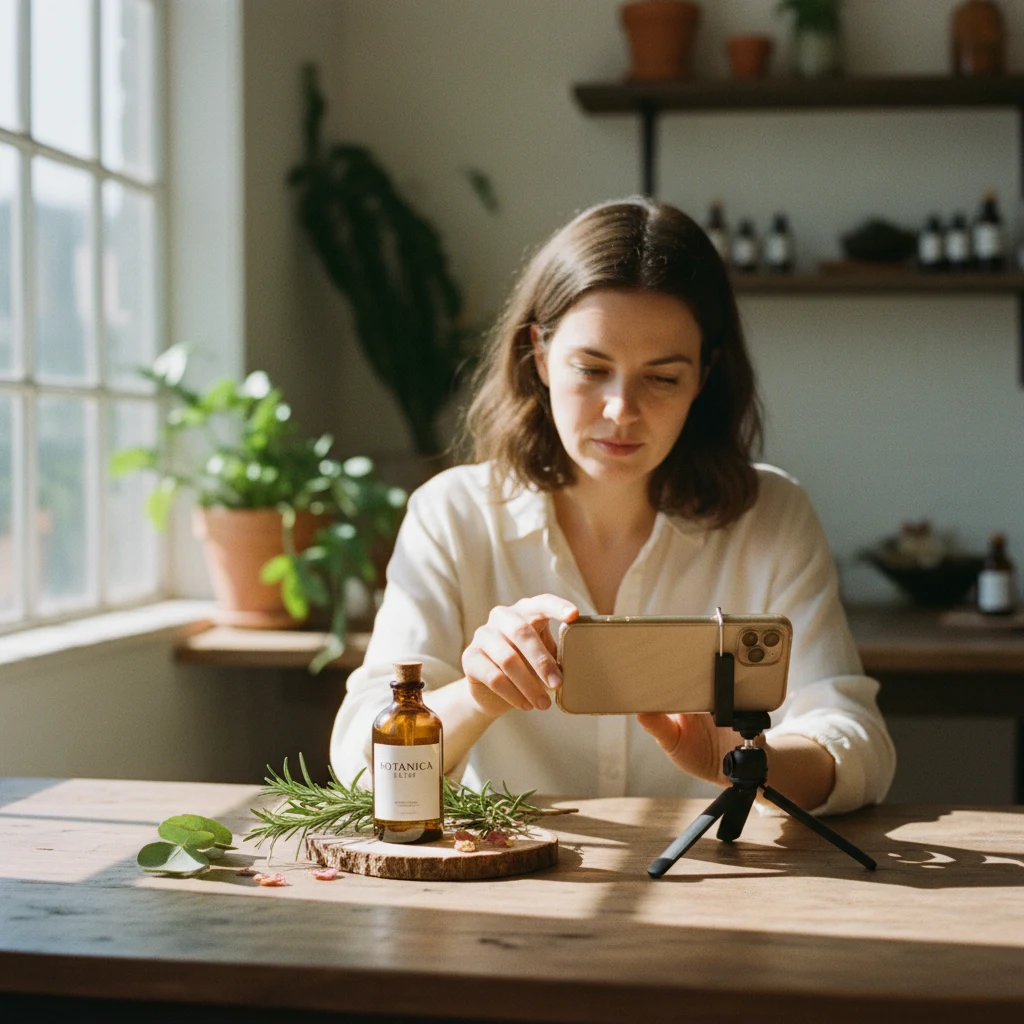
The 3-minute smartphone setup requires a $3 to $5 white foam board, a 90-degree north-facing window for indirect daylight, and an optical 2x telephoto zoom on your mobile camera. Locking your focal length at 2x eliminates 100% of wide-angle barrel distortion, providing the precise geometric fidelity generative AI models require.
Generative pipelines do not rely on your phone to create the final studio mood; they merely require an accurate, sharp, evenly illuminated record of your product's proportions, artwork, and physical texture.
Follow this five-step physical setup before generating assets:
- Clean the Optical Lens: Smartphone lenses accumulate skin oils that cause flare. Wipe your lens with a microfiber cloth to prevent blurry vector boundaries during background extraction.
- Mount a $3 Foam Board Backdrop: Position a matte white foam core board ($3 to $5) upright against a wall, curving a second board beneath it to create an infinity sweep that eliminates harsh horizon lines.
- Position Near Diffused Natural Light: Place your board perpendicular (90 degrees) to a north-facing window between 10:00 AM and 3:00 PM. Diffused sky radiation supplies flat, balanced illumination across the container without harsh specular highlights.
- Switch to 2x Optical Telephoto Zoom: Default smartphone wide lenses (1x, ~24mm) introduce barrel distortion that bows straight edges outwards. Step back 1.5 metres and switch to 2x optical zoom (~50mm equivalent) to compress perspective and preserve true proportions.
- Lock Focus and Exposure: Tap your product label, hold until AE/AF Lock engages, and pull exposure down slightly by -0.3 EV to prevent blowing out white label text or shiny metallic accents.
This capture takes under 3 minutes per item, costs negligible capital, and delivers the exact pixel fidelity required by visual diffusion models.
How does the 4-step reference-conditioned AI workflow work?
The 4-step reference-conditioned workflow converts 1 physical mobile photo into 20 to 50 photorealistic listing assets in under 30 minutes. It progresses through ground-truth capture, 100% precision background extraction, 5,200K to 5,500K lighting conditioning with a 15% to 20% opacity contact shadow, and a 2-minute human quality audit.
Executing product photography without a photographer relies on a structured sequence that decouples the product mask from environmental rendering:
- Step 1: Ground-Truth Capture. Take three standardized phone captures per SKU: eye-level front view, 45-degree three-quarter angle, and top-down flat-lay. Ensure the product fills 70% to 80% of the frame as the physical ground truth.
- Step 2: Background Extraction. Pass the master capture into an alpha-matte segmentation pipeline. Modern models isolate micro-transparencies and semitransparent edges, outputting a clean 32-bit PNG with crisp boundaries and zero background colour spill.
- Step 3: Reference-Conditioned Lighting. Pass the isolated product mask through a conditioned diffusion node (such as Berrys Canvas). Calibrate virtual key lighting between 5,200K and 5,500K daylight, cast a tight ambient occlusion contact shadow (15% to 20% opacity) beneath the base, and render directional light with subtle environmental colour bounce.
- Step 4: Human QA Audit. Inspect each generated batch against the physical item. Verify that brand typography remains 100% sharp, container silhouettes preserve vertical symmetry, and surface reflections match the scene environment.
This architecture enables generating 30 lifestyle variations for Instagram Ads, Amazon A+ content, and TikTok Shop carousels in roughly 20 minutes of compute time.
How do you maintain marketplace compliance across Shopee, TikTok Shop, and Amazon?
Marketplace compliance demands strict structural formatting: Shopee requires 1:1 square assets with minimum 500x500 pixels (1024x1024 recommended) under 2MB, TikTok Shop mandates at least 600x600 pixels with a 60% minimum product fill ratio, and Amazon enforces 85% frame fill against a pure RGB 255,255,255 white backdrop.
When you use ai tools for creating product photos without a photoshoot, failing to respect marketplace specifications triggers listing suppressions or demotes search visibility:
- Shopee Guidelines: Primary cover images must be 1:1 square with minimum 500x500 pixels (1024x1024 recommended) and file size under 2MB in JPEG or PNG. The lead hero shot must present the product clearly on a solid backdrop without promotional badges.
- TikTok Shop Requirements: Main listings require at least 600x600 pixels (1200x1200 recommended) with the item occupying at least 60% of the canvas area. For vertical 9:16 promotional content, keep critical packaging elements within the central 1080x1350 pixel safe zone.
- Amazon Standards: Amazon primary hero images strictly enforce an absolute pure white background (RGB 255, 255, 255) with zero gradients or artificial ground shadows. The physical product must occupy at least 85% of the total frame.
Conditioned workflows resolve compliance by generating master assets at 2048x2048 pixels. From one master, you can batch-export an Amazon-compliant RGB 255 pure white packshot, a Shopee 1024x1024 square asset, and contextual lifestyle crops for TikTok Shop in a single automated export loop.
Frequently Asked Questions
Can I photograph reflective glass or metallic items without studio lighting?
Yes, you can capture reflective surfaces using your smartphone by placing two pieces of white foam board on either side of the item to form an open-ended light tent. This reflects smooth, uniform white planes across glossy metallic caps and glass bottles, preventing dark room reflections and phone silhouettes. When processed through reference-conditioned AI, the virtual lighting engine naturally integrates realistic environment highlights without distorting the underlying reflections.
Will AI product photography cause packaging labels to hallucinate?
Pure text-to-image generators (such as standard Midjourney or DALL-E) frequently hallucinate packaging text because they generate every pixel from statistical probability. However, reference-conditioned pipelines (such as Berrys Canvas or ControlNet-based workflows) lock the source photo's pixel boundaries. The label artwork, legal text, barcode numbers, and brand logos remain 100% identical to your physical master capture, as generative diffusion is applied only to surrounding lighting and backgrounds.
How many product images should I generate from one phone capture?
From a single high-quality smartphone master shot, brands typically produce between 10 and 25 operational image assets. This includes one clean white-background hero packshot for marketplace compliance, three to five secondary lifestyle scenes demonstrating usage contexts (such as on a vanity, kitchen counter, or outdoor patio), two dimensional angle crops, and multiple seasonal ad variants for Meta and TikTok paid campaigns.
Do marketplace algorithms penalise AI-generated product images?
No marketplace algorithm penalises images merely because they utilise AI rendering pipelines, provided the images comply with standard technical specifications (minimum dimensions, RGB 255 backgrounds where required, and absence of prohibited badges). In fact, listings featuring high-resolution, contextually relevant lifestyle backgrounds often achieve 15% to 35% higher click-through and conversion rates compared to flat, amateur smartphone photos taken in poor home lighting.
Ready to eliminate your studio shoot costs? Explore our full AI Product Photos Without a Photoshoot Workflow Guide or try Berrys Canvas free with 50 credits to test your first smartphone master.
Put the ideas to work.
Brief our studio. Get back finished, on-brand creative.
Talk to us ↗